
Help & ContactMarketplaceCommunityDEENDEENDiscoverSolutionsIndustriesPublic sectorHealthcareFinance & insuranceEnergy & utilitiesIndustry & manufacturingRetail & logisticsUse CasesArtificial intelligenceHigh Performance ComputingBig data and analyticsInternet of ThingsDisaster RecoveryData StorageTurnkey solutionsTelekom cloud solutionsPartner cloud solutionsT Cloud SwitzerlandReferencesProductsCloud ServicesRoadmapRelease NotesService descriptionCertifications and attestationsCloud as a ServiceConsulting & MigrationManaged ServicesBenefitsSecurity/GDPRSovereigntySustainabilityOpenStackMarket leaderBusiness NavigatorPricesPricing modelsComputing & ContainersStorageNetworkDatabase & AnalysisSecurityManagement & ApplicationsPrice calculatorResourcesPartnerCIRCLE PartnerTECH PartnerBecome a partnerAcademyTraining & certificationsCommunityStudies and whitepaperWebinarsBusiness NavigatorMarketplaceDiscover appsBecome a sellerNewsBlogFairs & eventsSuccess StoriesSupportSupport from expertsAI chatbotShared ResponsibilityGuidelines for Security Testing (Penetration Tests)Mobile AppHelp toolsFirst stepsTutorialStatus DashboardSwitch of cloud providerFAQTechnical documentationHelp & ContactMarketplaceCommunity

 Fast & Reliable:

Contact our support

Book now and claim 250 € starting credit
DiscoverSolutionsIndustriesUse CasesTurnkey solutionsT Cloud SwitzerlandReferencesProductsCloud ServicesCloud as a ServiceBenefitsBusiness NavigatorPricesPricing modelsPrice calculatorResourcesPartnerAcademyMarketplaceNewsSupportSupport from expertsHelp toolsTechnical documentation
  • Fast & Reliable:
  • Contact our support
Book now and claim 250 € starting credit

What is cloud computing?

by Editorial Team
IT professional working on a laptop in a data center, with illuminated server racks visible in the background.
A high-performance server infrastructure forms the foundation for the provisioning of cloud resources.
 

In this article, you will read,

  • what cloud computing is,
  • what benefits it can offer businesses, and
  • when using the cloud makes sense and is cost-effective.


The cloud has long since evolved from a niche idea into a mainstream technology. It has become the global backbone of modern business. But what exactly is cloud computing, and why does it play such a crucial role in today’s business world? This article explains.


What does cloud computing mean?

The term may sound more abstract than it actually is. At its core, cloud computing means providing and using IT resources over a network, on demand and with measurable usage. These resources include:

  • Computing power and virtual machines
  • Storage and databases
  • Networks
  • Software and development platforms
  • Analytics services and, in recent years, AI services


Cloud computing is a form—and an evolution—of outsourcing: Instead of operating every resource themselves on a permanent basis, businesses can obtain, expand, or scale back resources as needed. This is a key difference from traditional IT: Cloud computing changes not just where IT operates, but how businesses obtain and manage IT resources.


How does cloud computing work?

Cloud computing is based on shared, virtualized IT resources. These resources are provisioned automatically and can be scaled as needed.

For example, a business may need additional computing power for an application at short notice. In a cloud environment, the required resources can be provisioned automatically without first having to purchase, install, and configure new servers.

This principle applies across different service levels: As the cloud’s contribution to value increases, the user’s level of control decreases. These levels range from basic infrastructure resources, such as virtual machines and storage, to databases and development platforms, and all the way to specialized services for document management, enterprise resource planning, or artificial intelligence


What defines cloud computing?

Not every IT environment running in a data center automatically qualifies as cloud computing—even if it can sometimes seem that way today. Several key terms are commonly used to describe the cloud:

  • On demand: Resources can be used as needed—obtained and released at short notice. This highlights their nature as a service, much like getting a haircut or eating at a restaurant. That is why cloud resources are often described as being used “as a service.”
  • Automation: Individual services can largely be provisioned automatically at the push of a button—whether they are started or stopped manually through a console or through an API call. Consoles are still common in smaller deployments, but cloud automation generally goes much further: Most cloud workloads today are managed through containers or automation platforms.
  • Scalability: Capacity can be increased or reduced flexibly. Ultimately, scalability combines on-demand availability with automation. T Cloud Public offers a service called Auto Scaling: It increases or decreases server capacity based on a service’s workload. Users must define specific instructions, known as policies, for it to follow.
  • Standardization: Resources are accessed through standardized interfaces and services. Strictly speaking, standardization is not a must-have requirement for clouds. It is more of a necessity for providers. Standardization creates a consistent technical foundation, making cloud resource pools easier to manage.
  • Measured usage: Consumption and resource usage can be tracked transparently. Measurability may be the cloud’s defining characteristic. Measuring resource usage gives users a new level of transparency into their IT consumption. Precise resource measurement provides the basis for usage-based billing, much like electricity or water, while also offering visibility into a service’s carbon footprint.
     

The cloud is more than someone else’s computer. What matters is the operating and provisioning model.


What cloud deployment models are available?

Choosing the right cloud starts with understanding who operates the infrastructure and how it is used.

Public cloud

In a public cloud, IT resources are provided through shared infrastructure. Businesses can obtain these resources flexibly without having to operate the underlying hardware themselves. Through a service often called a Virtual Private Cloud, users receive their own technically isolated segment—an IP address range—within the overall resource pool.

Private cloud

A private cloud provides cloud capabilities within a dedicated environment. It can run in a company’s own data center or be hosted by a specialized provider, for example. A private cloud is generally not available to everyone.

Hybrid cloud

A hybrid cloud connects different environments. Applications and data can, for example, be distributed across a company’s own infrastructure (on-premises) and public or private cloud resources. This close interaction distinguishes hybrid cloud from multi-cloud. Multi-cloud describes the simultaneous use of services from multiple cloud providers, regardless of whether they are technically integrated.

Community cloud

A community cloud is accessible only to a specific, closed group of users. These might include members of a profession or industry who share requirements for compliance or technical capacity. A community cloud can meet specific industry requirements by design. In practice, community clouds play a much smaller role today than public, private, or hybrid cloud approaches.

For many businesses, the key question is therefore not “Cloud or no cloud?” Instead, it is about determining which environment makes the most sense for each IT resource.


What do IaaS, PaaS, and SaaS mean?

The terms Infrastructure as a Service (IaaS), Platform as a Service (PaaS), and Software as a Service (SaaS) describe different levels of cloud services.

Infrastructure as a Service – IaaS

With IaaS, businesses obtain basic IT resources such as computing power, storage, or networking. They largely manage the operating system and the applications running on it themselves. Typical IaaS users include infrastructure teams, platform engineers, DevOps teams, and automation and container platforms.

Platform as a Service – PaaS

PaaS takes this one level further. The provider combines IaaS with platforms for developing and running applications. Platform services are frequently used by developers and application operations teams. PaaS paves the way for DevOps approaches, in which the same team handles both application development and operations.

Software as a Service – SaaS

With SaaS, users access a ready-to-use application as a service. The provider handles operations, infrastructure, and usually maintenance and updates as well. SaaS services primarily target IT end users. According to Gartner, SaaS accounts for the largest share of the cloud market, at approximately 40 percent.

The further you move from IaaS toward SaaS, the more responsibility the provider assumes for technical operations.


What are the benefits of cloud computing?

Cloud computing can offer businesses economic benefits, particularly where IT requirements change rapidly and frequently—or where they need to try things out quickly. It also enables businesses to use IT resources without taking on the work of operating their own IT infrastructure—the traditional make-or-buy decision.

Clouds also provide access to IT resources that businesses do not currently have in-house or that would take too long to procure. This is particularly evident at present, in late 2026, with GPUs, which are in short supply and high demand in the European market. Making IT resources available “like electricity from an outlet” creates business agility and reduces investment risks.

Although more and more applications now run permanently in the cloud, its traditional strengths lie primarily in temporary and fluctuating workloads, such as high-performance computing projects, software development, analytics, and testing.

Flexibility:
Resources can be provisioned more quickly and adjusted to actual demand.

Scalability:
Applications can use additional capacity when demand rises and scale it back when demand falls.

Speed:
New IT resources and applications can often be deployed much faster than through traditional procurement and provisioning processes.

Automation:
Standardized cloud services make it possible to automate many operational and provisioning processes.

New technologies:
Cloud platforms provide access to services that would require considerable effort to build on a company’s own infrastructure, such as specialized AI and data analytics services.

Security:
The debate about cloud security is as old as the cloud itself. The fact is that the cloud can indeed be more secure than servers operated and maintained in-house. Nevertheless, it is important to understand that security in the cloud and security in traditional IT environments cannot be compared on a like-for-like basis.


Cloud costs and billing

Defining cloud computing is also a good opportunity to dispel a persistent myth: Cloud computing does not automatically mean lower costs. Its economic value depends on how resources are used, managed, and operated.

In the early days, cloud providers liked to promote the blanket claim that “the cloud is cheaper.” Over time, as businesses gained their first experience with cloud deployments, a more realistic view emerged: “The cloud is not always cheaper—sometimes it is even more expensive.” Additional costs arise not only from “cloud waste”—resources that are provisioned but not used—but also because the OpEx model is not ideal for continuous operation. After all, a race car is not the right vehicle for transporting crowds of students to school every day.

“Flexibility comes at a price” became the next stage in the discussion of cloud costs. In other words, the cloud’s business benefits can justify higher costs than a traditional on-premises deployment. In 2026, the conclusion is clear: Businesses should choose the right cloud wherever it delivers the greatest business value. Cloud costs should be managed through effective cloud FinOps—and the cloud really can be cheaper 😉.

An important aspect of cloud use is that measurable service consumption translates into dynamic pricing models for users: Billing must reflect actual usage—“pay as you use” or “pay as you go.” T Cloud Public calls this “elastic.” Many cloud providers also offer discounts for long-term resource usage, such as T Cloud Public’s reserved models.


Is cloud computing the same as IT hosted in a data center?

No. Traditional IT infrastructure also frequently runs in a data center. What matters is not just the physical location, but how IT resources are provided and used. For example, a business can operate its own servers in a data center without using cloud computing. Conversely, internal IT provisioning can offer typical cloud characteristics such as self-service, automation, and dynamic scaling.

This also explains why asking “Where is the cloud located?” does not go far enough. Questions that are at least as important for businesses include: Who operates the infrastructure? How are resources provisioned? How flexibly can the environment be changed? What management capabilities does the cloud offer? And what dependencies does it create?

The cloud is also frequently compared with hosting, particularly in terms of pricing. The boundaries between these two provisioning models are fluid. The key difference is that a cloud provides users with a set of management services that make IT resources easier to use and manage, with greater automation.


What should businesses consider when using cloud computing?

Cloud computing does not automatically make IT requirements easier to meet. Its new flexibility also creates new responsibilities. Businesses moving to the cloud usually discover this during migration. The initial assumption that it is simply a matter of “moving to another virtual server” falls short.

Adopting the cloud requires a shift in thinking. This starts with identifying suitable cloud instance types and architectures that deliver performance comparable to the physical hardware previously used, and extends to establishing a cloud-native culture. This includes:

  • Managing costs and resource consumption transparently
  • Addressing data privacy and compliance requirements
  • Defining security and access models
  • Assessing dependencies on individual providers and technologies
  • Placing data and applications in the cloud environments best suited to them


Particularly for business-critical applications, the starting point should therefore not be “Cloud—yes or no?” A more useful question is: What are the application’s requirements, and which operating model meets them best?


Frequently asked questions about cloud computing

What is cloud computing in simple terms?

Cloud computing means using IT resources such as computing power, storage, networks, or software over a network as needed. Businesses do not have to own and operate these resources themselves.

What types of cloud computing are there?

The main deployment models are public cloud, private cloud, and hybrid cloud, as well as community cloud. They differ primarily in who can access the cloud. A hybrid cloud integrates different IT deployment models.

What is the difference between IaaS, PaaS, and SaaS?

IaaS provides basic infrastructure, PaaS adds a platform for developing and running applications, and SaaS delivers ready-to-use, “all-inclusive” software. With each level, the cloud provider takes on more responsibility for technical operations.

Is cloud computing secure?

This is one of the oldest—and still ongoing—debates about the cloud. Cloud computing is not inherently secure or insecure. Security depends on factors including architecture, configuration, access permissions, encryption, operational processes, and the requirements of the specific use case. It also requires both the cloud provider and the cloud user to play their part under the shared responsibility model.

Is cloud computing cheaper than running your own IT?

Not necessarily. Cloud computing changes capital investment and operational effort and has the potential to improve IT resource efficiency. Whether it actually reduces costs depends on factors including the use case, architecture, utilization, and cost management. Cloud FinOps should be part of every cloud strategy—and businesses should, of course, know their costs without the cloud to make a meaningful comparison.


Key takeaways

Cloud computing refers to the on-demand use of IT resources such as computing power, storage, networks, or software over a network. Instead of operating these resources themselves, businesses can obtain, scale, and automate them flexibly. Cloud deployment models include public cloud, private cloud, hybrid cloud, and community cloud. The service models Infrastructure as a Service (IaaS), Platform as a Service (PaaS), and Software as a Service (SaaS) describe how much of the underlying IT users manage themselves and how much the cloud provider handles.

Cloud computing is therefore less about a specific technology and is not simply another name for an external data center. Rather, it is a different way of providing and using IT: on demand, at scale, and with increasing automation. Moving to the cloud often also changes the underlying technology.

For businesses, this creates new opportunities—from faster infrastructure provisioning to easier access to platforms for data analytics and artificial intelligence. At the same time, some responsibilities shift: Costs must be managed, dependencies assessed, and security and compliance requirements addressed.

The key question is therefore no longer simply “Cloud or on-premises?” What matters is which operating model fits an application, its requirements, and the company’s business model.


You may also be interested in
 

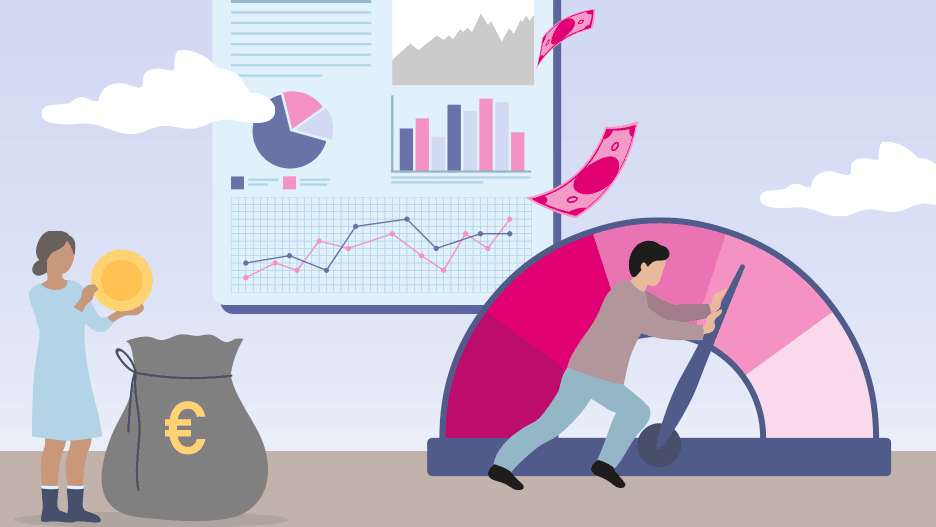
An illustration with two people, money, diagrams, and a gauge.

Cloud cost optimization and FinOps

Cloud governance starts pragmatically with cost control: FinOps not only optimizes cloud spending, but also establishes effective governance and control mechanisms.

 
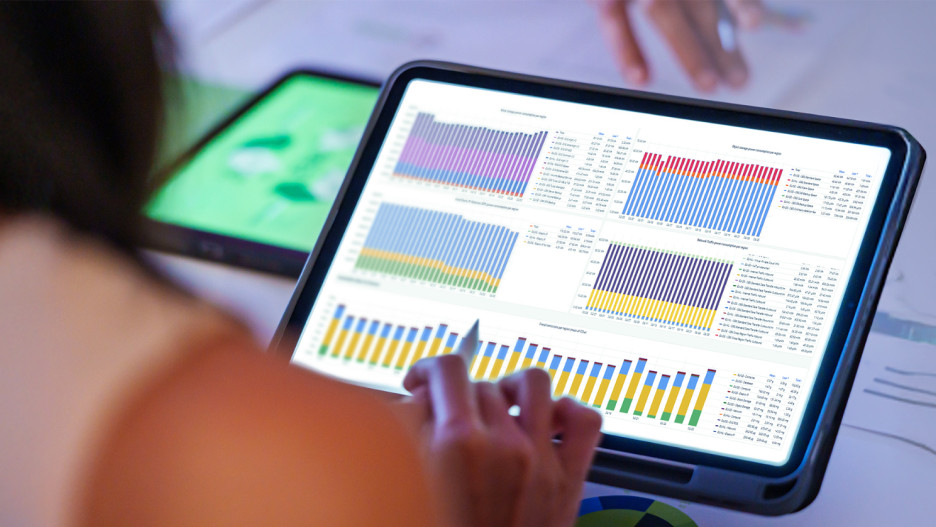
Businesswoman analyzing an ESG dashboard with charts and key figures on a tablet computer using a stylus.

The next generation Cloud Sustainability Dashboard

The Sustainability Dashboard is an important milestone on the path to greater sustainability. The dashboard gives customers access to usage-based data on electricity consumption and emissions.

 
Visualization of a cloud above a digitally rendered map of Europe with glowing networks and data streams, symbolizing European cloud infrastructure and data connectivity.

European cloud alternatives to U.S. hyperscalers

A new report compares eight leading cloud providers and offers practical guidance for choosing a sovereign cloud solution.

T Cloud Public Community

This is where users, developers and product owners meet to help each other, share knowledge and discuss.

Discover now

Free expert hotline

Our certified cloud experts provide you with personal service free of charge.

0800 3304477 (from Germany)

+800 33044770 (from abroad)

24 hours a day, seven days a week

Write an E-Mail

Our customer service is available free of charge via E-Mail

Write an E-Mail

AIssistant Cloudia

Our AI-powered search helps with your cloud needs.