
Help & ContactMarketplaceCommunityDEENDEENDiscoverSolutionsIndustriesHealthcarePublic SectorScience and researchAutomotiveMedia and broadcastingRetailUse CasesArtificial intelligenceHigh Performance ComputingBig data and analyticsInternet of ThingsDisaster RecoveryData StorageTurnkey solutionsTelekom cloud solutionsPartner cloud solutionsSwiss T Cloud PublicReferencesProductsCloud ServicesRoadmapRelease NotesService descriptionCertifications and attestationsCloud as a ServiceConsulting & MigrationManaged ServicesBenefitsSecurity/GDPRSovereigntySustainabilityOpenStackMarket leaderBusiness NavigatorPricesPricing modelsComputing & ContainersStorageNetworkDatabase & AnalysisSecurityManagement & ApplicationsPrice calculatorResourcesPartnerCIRCLE PartnerTECH PartnerBecome a partnerAcademyTraining & certificationsCommunityStudies and whitepaperWebinarsBusiness NavigatorMarketplaceDiscover appsBecome a sellerNewsBlogFairs & eventsSuccess StoriesSupportSupport from expertsAI chatbotShared ResponsibilityGuidelines for Security Testing (Penetration Tests)Mobile AppHelp toolsFirst stepsTutorialStatus DashboardSwitch of cloud providerFAQTechnical documentationHelp & ContactMarketplaceCommunity

 Fast & Reliable:

Contact our support

Book now and claim 250 € starting credit
DiscoverSolutionsIndustriesUse CasesTurnkey solutionsSwiss T Cloud PublicReferencesProductsCloud ServicesCloud as a ServiceBenefitsBusiness NavigatorPricesPricing modelsPrice calculatorResourcesPartnerAcademyMarketplaceNewsSupportSupport from expertsHelp toolsTechnical documentation
  • Fast & Reliable:
  • Contact our support
Book now and claim 250 € starting credit

Cloud migration without losing control: Move workloads to the cloud securely and predictably

by Editorial Team
Two people standing in front of a glass wall discussing a plan. One person points to notes and diagrams written on the wall.
Cloud migrations remain a key topic in cloud adoption, with workload migrations between cloud platforms currently gaining importance.
 

In this article, you will read

  • how to migrate applications to the cloud securely, efficiently, and with minimal risk,
  • which strategies and steps enable a successful cloud migration,
  • and why a successful cloud migration should always be approached from a business perspective.


Today, cloud migration is no longer limited to moving applications, servers, and data to a new cloud infrastructure. Many companies are reevaluating their existing cloud strategies—for example, because they are introducing AI applications, need to meet regulatory requirements, or want to migrate workloads from international hyperscalers to a European cloud platform. As a result, cloud migration has become a strategic transformation project that goes far beyond a purely technical migration process.
The success of a cloud migration is usually determined long before the first data is transferred. Which workloads are suitable for migration? Which applications should initially remain in their existing environment? How can downtime be minimized? And what role do compliance, digital sovereignty, and the ability to exit the environment later play?

A successful cloud migration therefore begins not with technology, but with a thorough analysis of the existing IT landscape and a clear strategy. This article explains which decisions companies should make before migrating to the cloud, which migration strategies have proven effective, and how risks can be controlled during implementation.


Why companies are reevaluating their cloud strategies today

Just a few years ago, the key question for many companies was: Should we migrate to the cloud at all? Today, the situation is much more differentiated. Many organizations already operate cloud environments—often alongside their own data centers or multiple public cloud providers. Others want to move individual workloads from a hyperscaler to a European cloud platform in order to better meet regulatory requirements or strengthen their digital sovereignty. Cloud migration can therefore involve very different starting points: 

  • Moving on-premises systems to a public cloud
  • Migrating individual workloads between cloud platforms
  • Establishing a hybrid cloud architecture
  • Consolidating multiple cloud environments
  • Modernizing existing applications


The technology itself is not the only decisive factor. Every cloud migration should serve a clear business objective. 


What are the benefits of cloud migration?

The real strength of cloud migration rarely lies in replacing hardware. Instead, it creates an opportunity to make the entire IT landscape fit for the future.

Greater scalability and flexibility

Cloud platforms provide computing power, storage, and network resources as needed. New applications can be introduced more quickly, peak demand can be handled more easily, and development projects benefit from significantly greater agility. This enables new services to be brought to market faster.

Higher resilience

Modern cloud architectures support high availability, backup strategies, and disaster recovery concepts—even when the cloud is added to the IT landscape merely as an additional architectural element. However, the cloud alone does not guarantee resilience or protection against outages.

Modernization instead of simple relocation

Cloud migration often provides the ideal opportunity to modernize outdated applications, upgrade databases, or implement automation consistently. This creates long-term benefits that extend far beyond the migration itself.

Business objectives

In addition to technical considerations, economic factors play a central role. These include:

  • more predictable investments;
  • shorter provisioning times;
  • lower operational costs;
  • reduced pressure on internal IT teams; and
  • avoiding costly hardware replacements.


The success of a cloud migration should therefore be defined using measurable criteria before the project begins—for example, downtime, performance, operating costs, or time to production.


Why cloud migrations are often more complex than expected

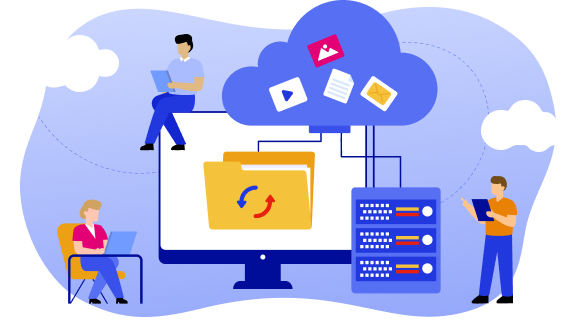
Illustration of a cloud migration with a computer, cloud, file folder, and servers. Several people use laptops and tablets to transfer and manage data.

Many companies underestimate the complexity of their own IT landscapes.

Evolving application landscapes

Systems that have developed over many years or decades often consist of numerous custom extensions, databases, and interfaces. Documentation is not always complete, responsibilities may have changed, and technical dependencies are often known only to a few specialists—provided they are still with the company.

Hidden dependencies

An ERP system may communicate with identity services, reporting solutions, production systems, and external partners. If even one of these connections is overlooked, a workload that was successfully migrated may still cause problems after the migration to the cloud.

Data quality

Data migration to the cloud does not begin with copying data. Outdated information, duplicates, or data from different sources should ideally be cleaned up before the migration. Otherwise, existing problems are simply transferred to the new environment—and result in unnecessary costs.

New responsibilities

Cloud platforms operate according to the shared responsibility model. Depending on the service model, the provider assumes responsibility for certain operational tasks. However, the company remains responsible for data, identities, permissions, and secure configuration. These responsibilities must be clearly defined and assigned.

The division of responsibilities does not necessarily follow a specific boundary between two technology stacks. Instead, there is flexibility in how responsibilities are structured in practice. Managed services partners, for example, can take on specific tasks.

Organizational change

Cloud technologies also change processes. Topics such as infrastructure as code, DevOps, automation, FinOps, and cloud security are becoming increasingly important. A successful cloud migration therefore affects not only the IT infrastructure, but often also the organization and its way of working—including cloud-native practices.


The most important step: Assessing workloads correctly

Not every application needs to be migrated to the cloud. That is why almost every successful project begins with a structured workload assessment. In addition to applications, the required computing, storage, and network resources are analyzed. Existing servers, databases, interfaces, and performance requirements are also included in the assessment. Only this complete picture enables an informed cloud migration strategy. Among other things, the following questions need to be answered:

  • Which applications are business-critical?
  • What data is being processed?
  • Which interfaces exist?
  • What level of performance is required?
  • Which regulatory requirements apply?
  • Which systems are already reaching the end of their lifecycle?


Only on this basis is it possible to determine which workloads will actually benefit from a cloud migration. The business value is equally important. A technically feasible migration is not automatically economically viable.


AI is changing the requirements for cloud migrations

For many companies, cloud migration has now become the foundation for using AI in production. Modern AI applications often require scalable GPU resources, high-performance data platforms, and cloud infrastructures that can be provisioned automatically. The migration process should therefore already take into account which workloads will be processed or analyzed with the help of AI in the future. Aligning the target architecture with these requirements at an early stage helps avoid costly adjustments later on.


Which cloud migration strategy and target architecture are right for the company?

The target platform depends on the requirements of the respective workloads. Depending on the starting point, different models may be suitable:

  • Public cloud for high scalability and rapid innovation
  • Private cloud for particularly sensitive applications
  • Community cloud for workloads that need to be operated in a scalable and protected environment, potentially with specific industry requirements
  • Hybrid cloud when individual systems continue to be operated locally
  • Multi-cloud when multiple cloud providers are combined


Companies should also decide early on when and where to use Infrastructure as a Service (IaaS), Platform as a Service (PaaS), or Software as a Service (SaaS). This decision affects both the modernization effort and the responsibilities involved in subsequent operations. It is also important to remember that, alongside traditional migrations from a company’s own data center, migrations of existing workloads between different cloud providers are becoming increasingly significant.


The right migration strategy: The proven 6R model

Not every application is migrated in the same way. In practice, the so-called 6R model has become established.

Rehost

  • The application is moved to the cloud largely without modification.

Replatform

  • The application is selectively adapted to make better use of cloud services.

Refactor or re-architect

  • The software is fundamentally modernized and further developed as a cloud-native application.

Repurchase

  • An existing application is replaced with a SaaS solution.

Retain

  • The workload initially remains in its existing environment.

Retire

  • Applications that are no longer needed are decommissioned.

Larger IT landscapes generally combine several of these strategies. That is precisely why carefully prioritizing all workloads is more important than implementing the migration as quickly as possible.


Consider security, compliance, and digital sovereignty from the outset

Regulatory requirements should not be considered only shortly before going live. The following aspects, among others, must already be taken into account when planning a cloud migration:

  • Data protection and personal data
  • Data residency
  • International access
  • Data processing agreements
  • Subprocessors
  • Technical and organizational measures
  • Auditability
  • Industry-specific requirements


Depending on the industry, additional requirements such as NIS2 or DORA may also be relevant. Digital sovereignty is also becoming increasingly important. This involves more than just where data is stored. It also includes legal influence, administrator access, transparency, and the ability to switch cloud providers at a later stage.


Cloud migration in controlled steps

A successful cloud migration rarely takes place as one large-scale move. Instead, a phased, step-by-step approach has proven effective.

1. Strategy and business case

At the outset, the objectives, success criteria, and project scope are defined.

2. Discovery and assessment

A structured cloud assessment often serves as the starting point. Together with the business units, applications, databases, interfaces, and dependencies are analyzed. This is followed by the creation of the target architecture, landing zone, and migration roadmap. During the actual migration process, automated tools, standardized runbooks, and proven methodologies help reduce risks. After go-live, hypercare, performance optimization, and knowledge transfer help ensure that operations are stabilized sustainably.

3. Target architecture

Networks, security concepts, identity management, backup, monitoring, and the operating model are planned.

4. Establishing the cloud foundation

The target environment is prepared. This often begins with the creation of what is known as a landing zone. A landing zone also defines standards for provisioning new cloud resources. These include networks, identities, security policies, logging, monitoring, and governance requirements. This ensures that subsequent workloads can be migrated and operated consistently.

5. Pilot migration

A manageable workload is used to test processes, tools, and automation under real-world conditions.

6. Migration in waves

Additional applications are then migrated in logically defined migration groups. After each wave, functionality, data integrity, and performance are verified.

7. Hypercare and transition to operations

After go-live, the systems are monitored closely. Only once stability and performance have been demonstrated are they handed over to regular operations. Any legacy systems that are no longer needed can then be decommissioned.


How to minimize downtime

A completely disruption-free cloud migration cannot be guaranteed in every scenario. However, downtime can be reduced significantly.

Proven measures include:

  • Test migrations
  • User acceptance testing
  • Clearly defined go/no-go criteria
  • Rollback plans
  • Backup strategies
  • Running critical applications in parallel
  • Data synchronization during the transition phase


The better these measures are prepared, the more controlled the actual transition to production will be.


Automation accelerates migration – but does not replace planning

Modern cloud projects now rely extensively on automation. Infrastructure as Code (IaC), for example, enables entire cloud environments to be built reproducibly. Standardized runbooks automate recurring migration steps. Configurations, permissions, and security policies can also be checked automatically. Automation significantly improves quality and speed. However, it does not replace architectural decisions or the professional assessment of individual applications. Complex legacy systems, in particular, require careful, customized planning.


Consider costs, vendor lock-in, and exit capability together

The costs of a cloud migration do not begin only after the environment goes live. Expenses for assessment, architecture, data transfer, testing, and parallel operations are already incurred during the project. Equally important, however, are the subsequent operating costs. A reliable total cost of ownership analysis should take the following into account:  

  • Compute resources (servers)
  • Storage
  • Network traffic
  • Backup
  • Security services
  • Licenses
  • Operating costs
  • Remaining on-premises systems


The architecture should also take future exit capability into account from the outset. The more extensively proprietary platform services are used, the more difficult it may become to switch providers later. Open standards, container technologies, and portable architectures can help reduce these dependencies.


When is external support worthwhile?

The more complex an IT landscape is, the more important experience from comparable projects becomes. A specialized cloud migration service can provide support in particular with: 

  • Workload assessment
  • Target architecture
  • Landing zone
  • Automation
  • Pilot migrations
  • Migration planning
  • Test concepts
  • Cutover management
  • Hypercare
  • Knowledge transfer


Key decisions nevertheless remain with the company. Business priorities, approvals, and responsibility for business processes cannot be outsourced. Instead, external experts help ensure that technical implementation, governance, and project management work together effectively—and that risks are identified at an early stage. For companies looking to migrate workloads from existing hyperscaler environments or their own data centers to T Cloud Public, a modular migration service can support the entire process—from the initial analysis and target architecture through to operational stabilization. This makes it possible to plan the migration systematically while laying the foundation for a long-term sovereign cloud strategy.

Looking for expert support with your cloud migration?

We complement your in-house capacity with cloud professional services – from consulting and analysis through to migration.

Click here for Cloud Professional Services
 

Conclusion: Successful cloud migration starts with the right decisions

Cloud migration is not an infrastructure project; it is a transformation project. Technology naturally plays a central role. However, success depends above all on the questions that need to be addressed beforehand: Which workloads create genuine value? Which target architecture fits the company’s IT strategy? How can security, compliance, economic efficiency, and flexibility be brought together?

At the same time, every cloud migration should take into account the future requirements of AI workloads, regulatory developments, and potential provider changes. Companies that prepare these decisions carefully not only reduce project risks. They also establish the foundation for a cloud engagement that can support future requirements over the long term—from AI applications and regulatory obligations to a sovereign European cloud strategy.


Cloud migration FAQ

How long does a cloud migration take?

That depends on the scope and complexity of the IT landscape. Small, independent workloads can be migrated within just a few minutes, although several days should be allocated for planning. Larger transformation projects, on the other hand, can take several months or longer.

Can a cloud migration be completed without downtime? 

Not in every case. However, test migrations, parallel operations, and careful planning can often reduce interruptions and migration risks to a minimum.

Which applications are not readily suitable for the cloud?

Tightly coupled legacy systems and applications with specific hardware dependencies, in particular, often require modernization first or initially remain in their existing environment.

What is the difference between rehosting, replatforming, and refactoring?

With rehosting, an application is migrated almost unchanged. Replatforming involves targeted adaptations to the target platform. Refactoring or re-architecting fundamentally modernizes the application. Today, AI tools can drastically reduce the effort involved.

What is a cloud landing zone?

A landing zone provides the standardized technical foundation for a cloud environment. It includes networks, security policies, roles, monitoring, logging, and governance, among other components. It provides a basic cloud setup out of the box.

How can vendor lock-in be avoided?

Open standards, portable architectures, container technologies, and an exit strategy planned at an early stage can make it significantly easier to switch providers later.


This content might also interest you
 

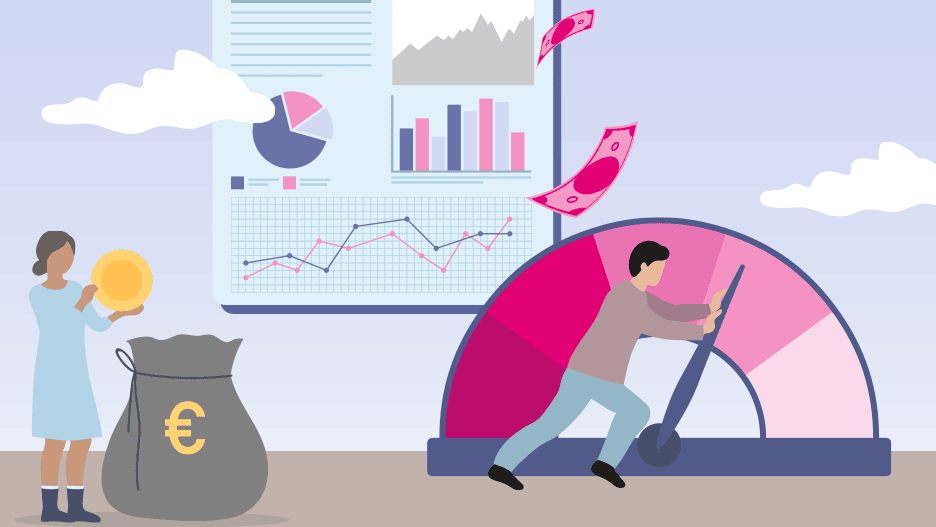
An illustration with two people, money, diagrams, and a gauge.

Cloud cost optimization and FinOps

Cloud governance starts pragmatically with cost control: FinOps not only optimizes cloud spending, but also establishes effective governance and control mechanisms.

 
Businesswoman analyzing an ESG dashboard with charts and key figures on a tablet computer using a stylus.

The next generation Cloud Sustainability Dashboard

The Sustainability Dashboard is an important milestone on the path to greater sustainability. The dashboard gives customers access to usage-based data on electricity consumption and emissions.

 
People are sitting in front of a computer in an office

Enterprise Switch: the easiest way to migrate to the cloud

Operational challenges continue to prevent many companies from migrating workloads to the cloud. The Enterprise Switch addresses these barriers with a self-service tool that makes cloud migration easier than ever.

T Cloud Public Community

This is where users, developers and product owners meet to help each other, share knowledge and discuss.

Discover now

Free expert hotline

Our certified cloud experts provide you with personal service free of charge.

0800 3304477 (from Germany)

+800 33044770 (from abroad)

24 hours a day, seven days a week

Write an E-Mail

Our customer service is available free of charge via E-Mail

Write an E-Mail

AIssistant Cloudia

Our AI-powered search helps with your cloud needs.